Today I installed RubyMine 2.0 which is a great IDE from JetBrains. However, I was confused as all the keystrokes referred to ‘Meta’, for example ‘Meta+C’ for copying. Being on Windows 7, this wasn’t a valid keystroke.
After a bit of search around, it turns out RubyMine has keystrokes targeted for different environments, in my case it was targeted to be the same as TextMate. Awesome when I’m on my Mac, not so good on Windows.
To change the keymapping, select File > Settings. Pick the keymap option, and in the dropdown change it to Visual Studio.
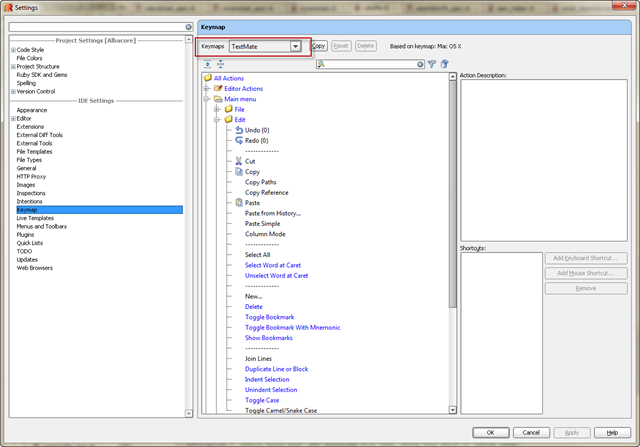
Everything will then feel right at home.
Thanks for this, the Meta key confused the bejesus out of me and none of the shortcuts worked. Solved thanks to this post.